

Your phone vibrates.
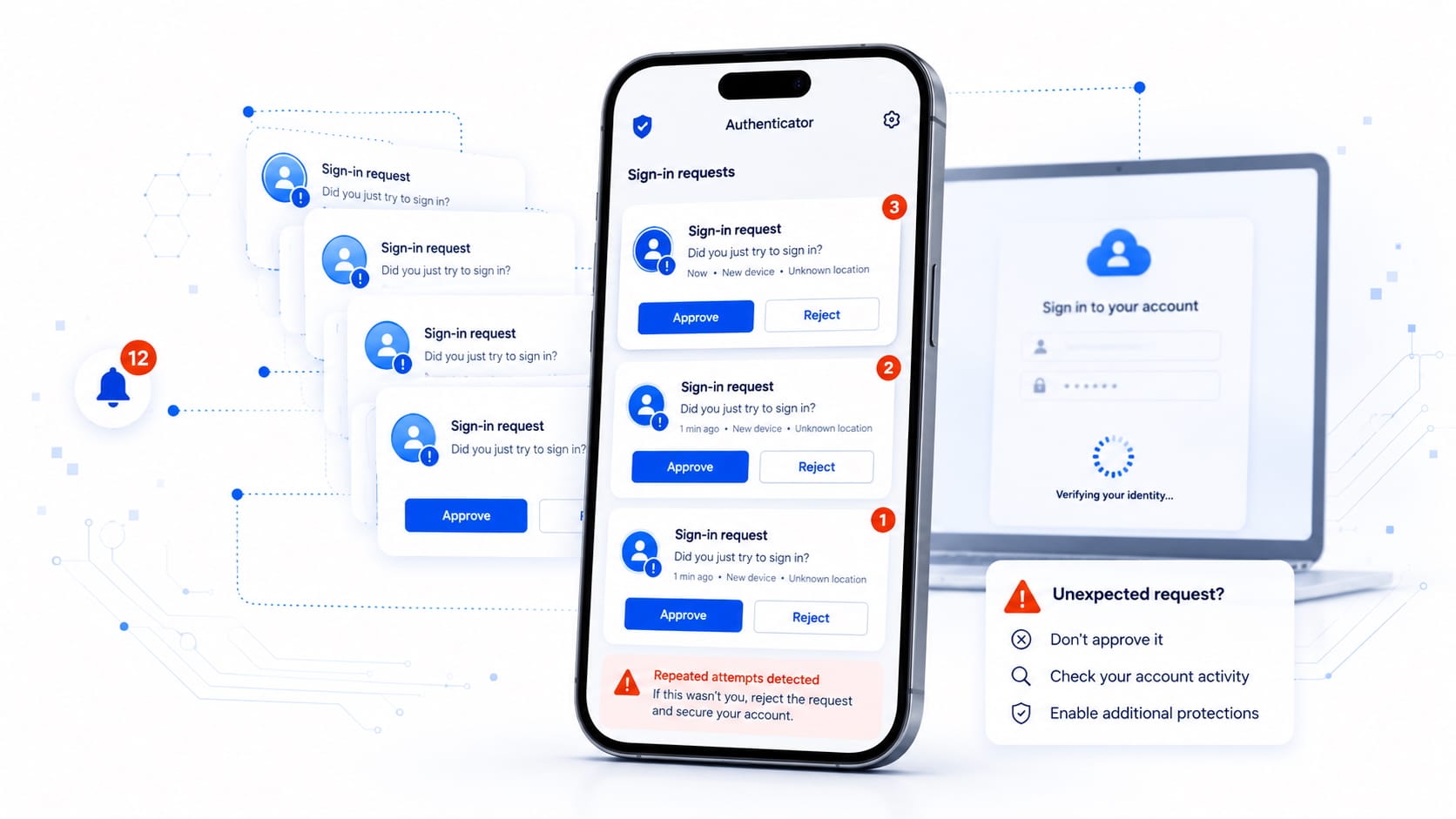
An authentication app asks you to confirm a sign-in. You are not trying to access any account, so you reject the request.
A few minutes later, another one appears. Then another.
It may look like a technical error, a duplicated notification or simply an annoyance. But it could also be a deliberate attack.
This technique is known as MFA fatigue or MFA bombing. The objective is not to technically defeat multifactor authentication, but to pressure you into approving access through tiredness, confusion or a simple mistake.
The Attacker Probably Already Knows Your Password
Multifactor authentication adds an extra layer of protection beyond a password. Even if someone obtains your credentials, they still need to pass a second check: a code, a notification, a security key or confirmation from your device.
In an MFA fatigue attack, the attacker usually already has a valid username and password. They may have obtained them through phishing, malware, a previous data breach or password reuse across different services.
When the attacker tries to sign in, the system sends an approval request to the legitimate account owner’s phone.
The attacker cannot approve it, so they try again.
Once. Then again. And as many times as necessary.
They are hoping that the user will eventually tap “Approve” to stop the notifications, because they assume the request belongs to an earlier session or simply press the wrong button.
Sometimes, the attack is reinforced by a phone call or message from someone pretending to be technical support and asking the user to confirm the request to “resolve a problem.”
The authentication app is legitimate. The notification is legitimate. The access you are about to authorize is not.
Why It Works
We receive so many notifications that we often respond almost automatically.
Repeated requests create fatigue. A familiar interface inspires trust. And an urgent phone call can make us act before we think.
An attacker does not need to break the system if they can persuade the person protecting it to open the door.
An unexpected authentication request should therefore not be treated as a minor inconvenience. It may be the first sign that someone knows your password and is trying to access your account.
What to Do If You Receive a Request You Did Not Initiate
Reject it. Do not approve it to see what happens or simply to make the notifications stop.
Then:
- Open the account using the official app or by entering the address yourself.
- Change the password to a new and unique one.
- Review recent activity, connected devices and active sessions.
- Close any session or remove any authentication method you do not recognize.
- If it is a professional or institutional account, report the incident to the security or support team.
Do not share one-time codes or authentication numbers over the phone. A supposed technician asking you to confirm a request that you did not initiate is a clear warning sign.
Approval Should Require More Than a Single Tap
Some authentication systems now require users to enter a number shown on the sign-in screen into the authentication app. This reduces accidental approvals, although it does not replace careful judgment.
For particularly sensitive accounts, security keys and passkeys offer stronger protection against phishing because they bind the authentication process to the legitimate service. They do not rely on copying codes or accepting isolated notifications.
Multifactor authentication remains one of the most effective defenses against stolen passwords. In fact, the attacker keeps trying precisely because that second barrier is preventing immediate access.
Their goal is to turn a technical safeguard into a rushed human decision.
The next time an authentication request appears, first check whether you actually initiated the sign-in.
If you do not recognize the attempt, do not tap “Approve”: reject it and secure the account immediately.